02 / 09AI reads information from documents, fills in the relevant fields and checks them.
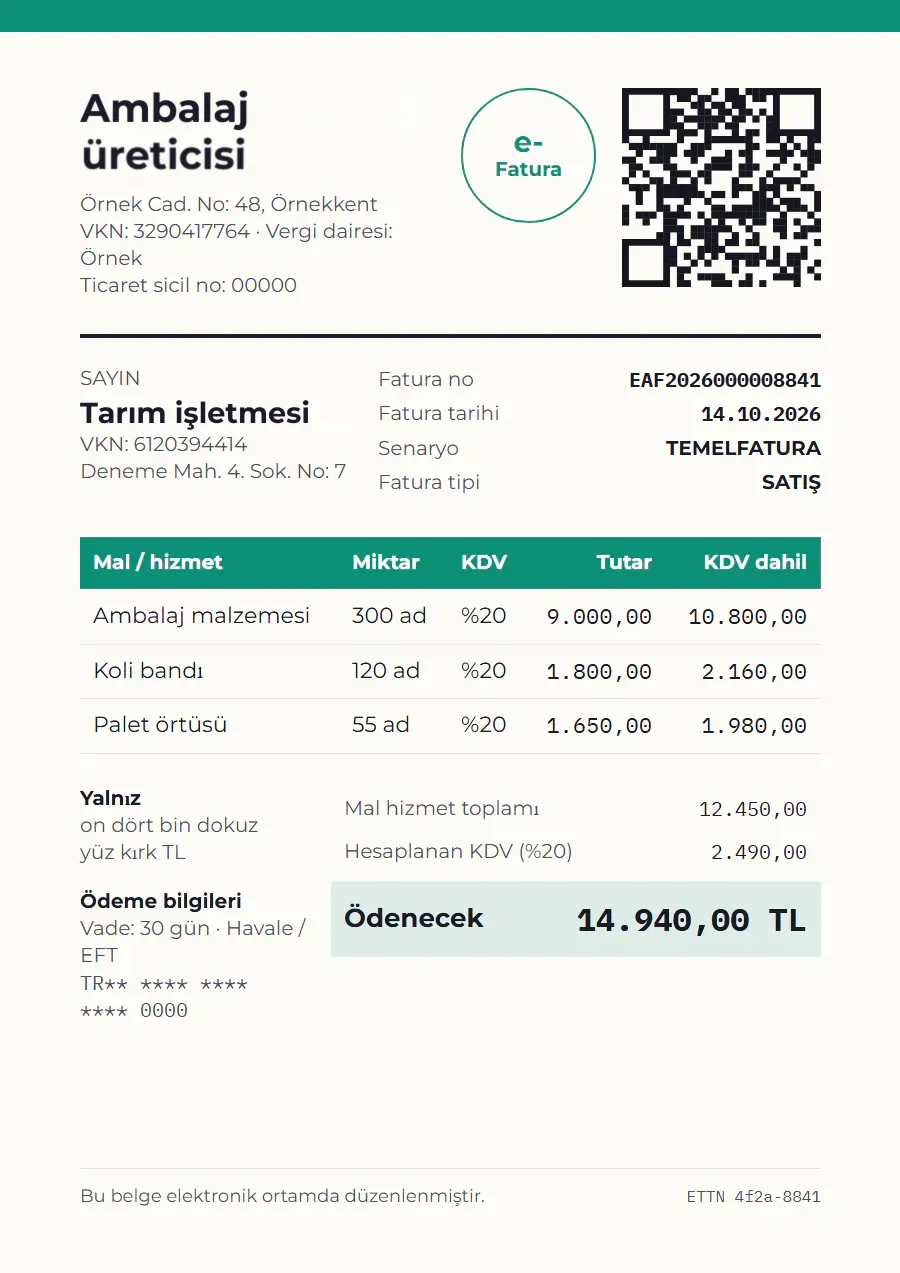
File name: purchase-invoice-8841.pdf
Document data
- Seller
- Packaging manufacturer
- Tax number
3290417764- Document number
EAF2026000008841- Document date
10/14/2026
Line items (3)
| Description | VAT rate | Line amount |
|---|---|---|
| Packaging material | 20% | 10,800.00 |
| Packing tape | 20% | 2,160.00 |
| Pallet cover | 20% | 1,980.00 |
VAT rates (calculated)
VAT 20%Tax base: 12,450.00VAT: 2,490.00Total: 14,940.00
AI credit38 / 100
The companies, people and numbers in these images are fictional.
Document information is checked against the rules for its category. Only information you approve is exported to Excel. Documents that need additional checks are sent for review.
01You can turn AI on or off separately for each category.
02Amount discrepancies, missing tax numbers and VAT rate errors are flagged.
03All fields can be edited. Changes revoke the existing approval and require approval again before export to Excel.
04Each reading that produces a result uses 1 AI credit. Manual editing does not use credits.
What is an AI credit?
Each reading that produces a result uses 1 credit, regardless of document length. Reading a document again also uses 1 credit. Operations that fail because of a service error, a rejected request, an interrupted response or an unreadable document do not use credits. Manual editing does not use credits either.
How does document reading start?
If AI is enabled for the category, reading starts automatically when the document is accepted. You can turn AI on or off for each category.
Can I check what the AI extracts?
Yes. You can edit all extracted information. Document information is not included in Excel output until approved. Documents the AI is uncertain about are sent for review.
What happens if information is missing or inconsistent?
If required information is missing or checks find inconsistencies, the confidence score drops and the document is sent for review. It cannot be marked as processed or exported to Excel until approved.
Who decides which information is read?
Muyoco defines the fields to read and the validation rules. You can turn AI on or off for supported predefined categories and edit all extracted information. For custom categories, you specify file types and the upload warning; AI support is not available.
Connect with your clients on Muyoco
Add 10 clients with the free plan. Manage communication, document sharing and period tracking in one place.
No credit card required.