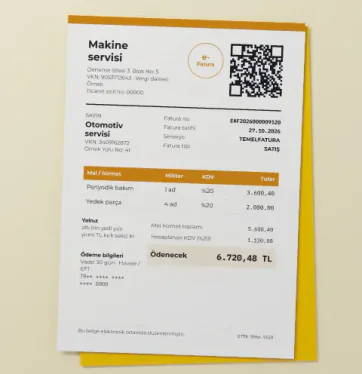
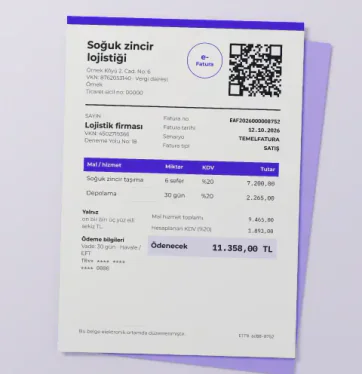
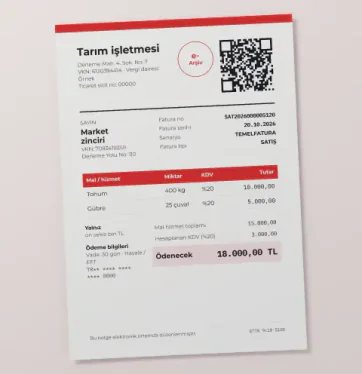
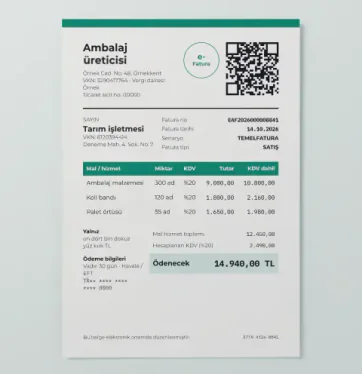
 Click to add a file, or drag and dropUploading to: Farm business · October 2026 · Purchase invoiceAllowed file types: PDF
- purchase-invoice-8964.pdfUploaded by: Elif A.Clean
- purchase-invoice-8758.pdfUploaded by: Farm businessClean
- sales-invoice-5120.pdfSales invoice · October 2026Clean
- purchase-invoice-8841-copy.pdfAlready uploaded as "purchase-invoice-8841.pdf" (same content).Rejected
- receipt-scan.pdfMalware was found in the file, so the upload was rejected.Blocked
- purchase-invoice-5233.pdfUploaded by: Deniz Y.Clean
Move document
Change the period and category the document belongs to.
CategorySales invoiceThe companies, people and numbers in these images are fictional.
Organize documents by period and category. Manage your clients’ uploads and your own bulk uploads together. Duplicate uploads are detected before they are saved.
01Documents uploaded from client and accountant screens are collected in the same list.
02Documents that do not pass malware scanning cannot be processed or downloaded.
03Change a document’s period or category without uploading it again.
04Clients with missing documents appear at the top of the list.
How are documents uploaded?
Clients can upload documents from their own workspaces. You can also use the upload screen. All documents go through the same checks and are managed together.
Which files are supported?
You can upload PDF, JPEG, PNG and Excel files for monthly documents. Files whose contents do not match the declared type are rejected. AI can read only PDF, JPEG and PNG files.
What are the upload limits?
The limits are 20 MB per file and 20 files per upload. The result for each file is shown separately; rejected files do not prevent the others from uploading.
Can I upload a photo of a document?
You can upload photos in JPEG or PNG format.
Are files scanned for malware?
Yes. Every document is scanned for malware. Files that are not found to be clean are not processed and cannot be downloaded.
What happens if the same document is uploaded again?
The check compares documents for the same client in the same period. An identical file is rejected and its previous name is shown. Different scans of the same invoice are flagged as potential duplicates after AI reading and compared side by side.
What if I upload a document to the wrong place?
You can move it to the correct period or category without uploading it again. Duplicate checks are repeated for the new period. If the destination category does not support the file type, the document cannot be moved.
What can clients do?
They can upload documents, view the documents you permit and delete their own uploads. Moving documents, editing information, starting AI reads and approving results are reserved for accounting firm users.
Connect with your clients on Muyoco
Add 10 clients with the free plan. Manage communication, document sharing and period tracking in one place.
No credit card required.